
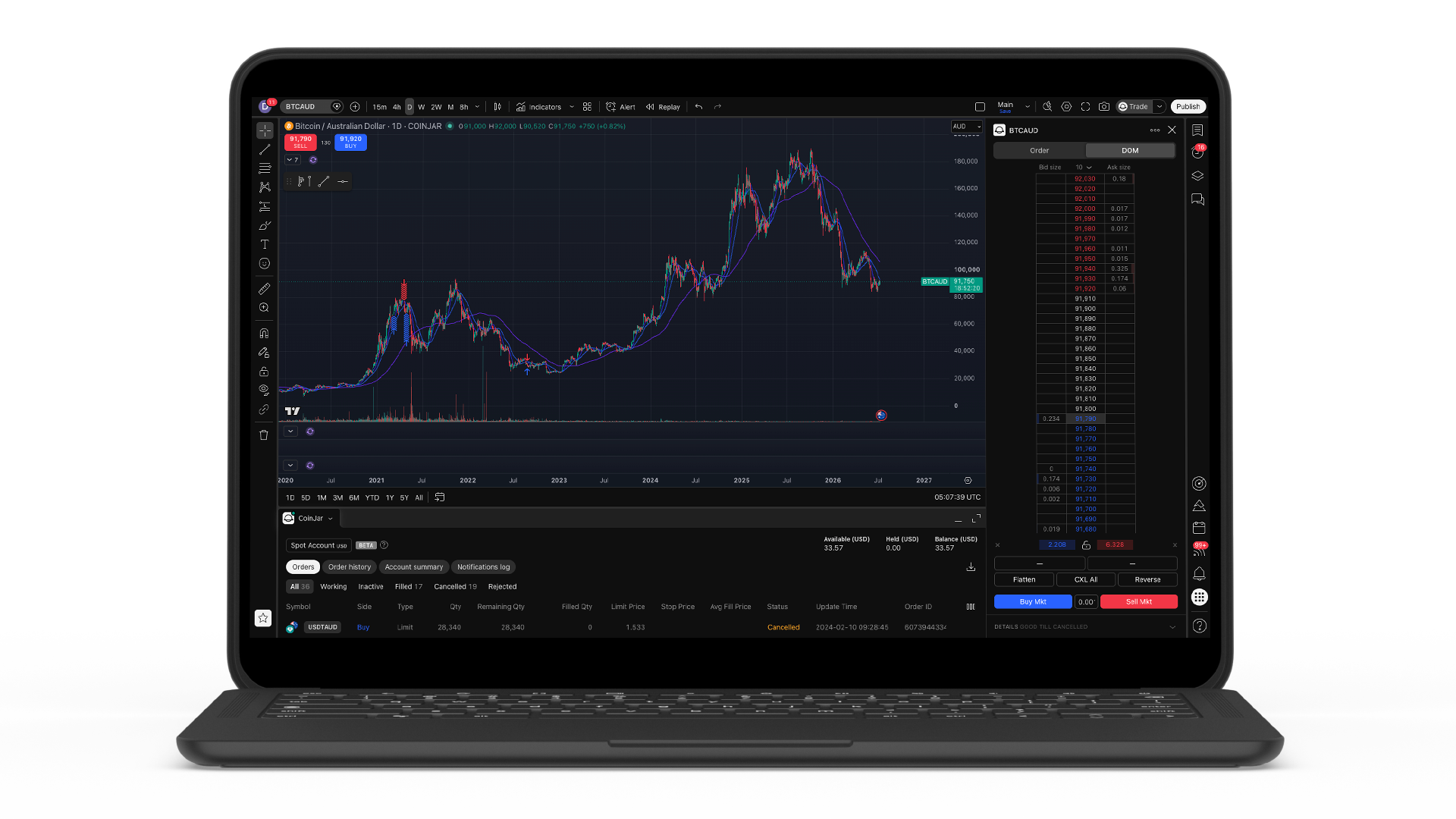
You can now trade on CoinJar Exchange directly from TradingView. Connect your account and place live orders on CoinJar Exchange's order book from within TradingView's charts — the analysis tools and the market, together in one place.
CoinJar is the first Australian-headquartered spot crypto exchange to offer a TradingView trading integration.
Why we built this
Most active traders already run their analysis on TradingView. Until now, spotting a setup there and acting on it meant switching to a separate platform to place the trade. This integration removes that step: you analyse and execute in the same window.
What you can do
Once your accounts are connected, TradingView's Trading Panel becomes a live window into CoinJar Exchange. You can:
- Place market, limit and stop limit orders on CoinJar Exchange's live order book
- Trade from the chart — set your price and drag orders directly on Supercharts
- Track open positions, working orders and order history in the Trading Panel
- Monitor your balance in real time
You're trading on CoinJar Exchange's actual order book, with globally sourced liquidity and a matching engine built for active trading — not a synthetic price feed.
Transparent, competitive fees
CoinJar Exchange charges maker/taker fees from 0% to 0.1%, and they scale down further as your 30-day trading volume grows. There's no cost to connect your accounts, and a free TradingView account is all you need to get started.
The tools you already use
Through TradingView you get 15+ chart types, hundreds of built-in indicators and drawing tools, custom Pine Script™ strategies, and price alerts — now wired directly to your CoinJar Exchange account.
How to connect
- Open a CoinJar Exchange account — sign up or log in and complete verification.
- Open TradingView — create a free account or log in using a browser.
- Link and trade — Open CoinJar's broker profile on TradingView: https://www.tradingview.com/broker/CoinJar/. Under the CoinJar logo, select Trade, log in to connect, and place your first order.
For security, the broker integration cannot withdraw funds from your CoinJar Exchange account, and your existing CoinJar login and security settings still apply.
Learn how to connect your CoinJar Exchange account to TradingView.
Where it's available
Trading CoinJar Exchange from TradingView is available now to verified customers in Australia and in the United Kingdom when using a browser. We'll share updates as the integration expands.
CoinJar Australia Pty Ltd ACN 648 570 807 is a registered Virtual Asset Service Provider (VASP) with the Australian Transaction Reports and Analysis Centre (AUSTRAC) in accordance with the Anti-Money Laundering and Counter-Terrorism Financing Act 2006 (Cth).
This material is general information only and does not consider your objectives, financial situation or needs. You should consider the Product Disclosure Statement and Target Market Determination (TMD) relating to the CoinJar Card product before making any decision. The CoinJar Card is a prepaid, reloadable Mastercard issued by EML Payment Solutions Limited ABN 30 131 436 532 AFSL 404131 (EML). CoinJar Australia Pty Ltd ABN 75 648 570 807 (Authorised Representative Number 1290193) is involved in the promotion and distribution of the Card and is a Corporate Authorised Representative of EML. Please consider the Financial Services Guide.
Apple Pay is a trademark of Apple Inc., registered in the U.S. and other countries. Google Pay is a trademark of Google LLC. Mastercard and the circles design are registered trademarks of Mastercard International Incorporated.
This site is protected by reCAPTCHA and the Google Privacy Policy and Terms of Service apply.